
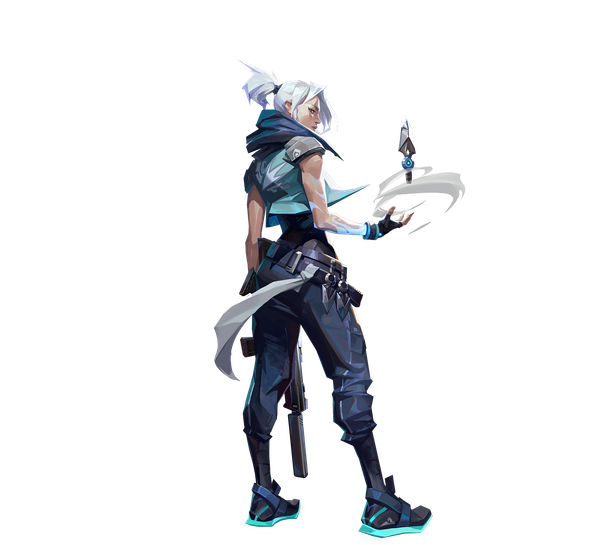
Fully OptimizedCompetitiveMultiplayerFree-to-Play
Valorant
A free-to-play 5v5 tactical shooter built for competitive play and ultra-high frame rates.
- Developer
- Riot Games
- Publisher
- Riot Games
- Released
- 2020
- Genre
- Tactical Shooter, FPS
Loading…
A free-to-play 5v5 tactical shooter built for competitive play and ultra-high frame rates.
Valorant is Riot Games' character-based tactical shooter where precise gunplay meets unique agent abilities. Its Unreal-based engine is exceptionally well optimized, letting even modest laptops push hundreds of frames per second — which is exactly what competitive play demands. Success comes from crisp aim, map control, and coordinated utility usage across a best-of-25 round format.
Built for competitive players who want the highest frame rate and lowest input latency.
Strips every non-essential effect for the highest, most stable frame rate and lowest input latency. This is how pros configure Valorant.
| Setting | Value | Why |
|---|---|---|
| Display Mode | Fullscreen | Lowest latency, exclusive GPU access. |
| Resolution | Native Resolution | — |
| Multithreaded Rendering | ON | Uses all CPU cores — keep ON. |
| Material Quality | Low | — |
| Texture Quality | Low | — |
| Detail Quality | Low | — |
| UI Quality | Low | — |
| Vignette | OFF | — |
| VSync | OFF | Removes latency; allows uncapped FPS. |
| Anti-Aliasing | None | — |
| Anisotropic Filtering | 1x | — |
| Improve Clarity | OFF | — |
| Experimental Sharpening | OFF | — |
| Bloom | OFF | — |
| Distortion | OFF | — |
| Cast Shadows | OFF | Big FPS win; enemies still render. |
Maximum visual fidelity for players who prefer the best-looking image.
Maximum visual fidelity. Valorant is light enough that most modern GPUs still hold very high frame rates here.
| Setting | Value | Why |
|---|---|---|
| Display Mode | Fullscreen | — |
| Resolution | Native Resolution | — |
| Multithreaded Rendering | ON | — |
| Material Quality | High | — |
| Texture Quality | High | — |
| Detail Quality | High | — |
| UI Quality | High | — |
| Vignette | ON | — |
| VSync | OFF | — |
| Anti-Aliasing | MSAA 4x | — |
| Anisotropic Filtering | 8x | — |
| Improve Clarity | ON | — |
| Bloom | ON | — |
| Distortion | ON | — |
| Cast Shadows | ON | — |
The sweet spot between frame rate and visuals. Drag the slider to shift the balance.
Keeps Valorant looking clean while retaining most of the competitive frame-rate advantage. A great everyday default.
| Setting | Value | Why |
|---|---|---|
| Display Mode | Fullscreen | — |
| Resolution | Native Resolution | — |
| Multithreaded Rendering | ON | — |
| Material Quality | Medium | — |
| Texture Quality | Medium | — |
| Detail Quality | Medium | — |
| UI Quality | Medium | — |
| Vignette | OFF | — |
| VSync | OFF | — |
| Anti-Aliasing | MSAA 2x | — |
| Anisotropic Filtering | 2x | — |
| Improve Clarity | ON | — |
| Bloom | OFF | — |
| Distortion | OFF | — |
| Cast Shadows | OFF | — |
| Metric | CompetitiveMax FPS / Competitive | BalancedBalanced | High GraphicsBest Graphics |
|---|---|---|---|
| Input Latency | Lowest | Low | Standard |
| Graphics Quality | |||
| GPU Usage | Low | Low | Medium |
| Competitive Score | 98/100 | 82/100 | 64/100 |
| Recommended For | Ranked, esports, and high-refresh 144Hz+ monitors. | Players who want a clean look without giving up smoothness. | Casual play and content capture where visuals matter most. |
Official minimum and recommended specs for Valorant.
These are the requirements of VALORANT, the edition this page covers.
| Component | Minimum | Recommended |
|---|---|---|
| Target | 30 FPS | 60 FPS |
| OS | Windows 10 (Build 19041+) 64-bit or Windows 11 64-bit | Windows 10 (Build 19041+) 64-bit or Windows 11 64-bit |
| Processor | Intel i3-540 or AMD Athlon 200GE (requires SSE 4.2 or AVX support) | Intel i3-4150 or AMD Ryzen 3 1200 |
| Memory | 4 GB RAM | 4 GB RAM |
| Graphics | Intel HD 4000 or AMD Radeon R5 220 (dedicated graphics also need at least 1 GB VRAM) | NVIDIA Geforce GT 730 or AMD Radeon R7 240 |
| DirectX | Version 11 | Version 11 |
Minimum
Target: 30 FPS OS: Windows 10 (Build 19041+) 64-bit or Windows 11 64-bit Processor: Intel i3-540 or AMD Athlon 200GE (requires SSE 4.2 or AVX support) Memory: 4 GB RAM Graphics: Intel HD 4000 or AMD Radeon R5 220 (dedicated graphics also need at least 1 GB VRAM) DirectX: Version 11
Recommended
Target: 60 FPS OS: Windows 10 (Build 19041+) 64-bit or Windows 11 64-bit Processor: Intel i3-4150 or AMD Ryzen 3 1200 Memory: 4 GB RAM Graphics: NVIDIA Geforce GT 730 or AMD Radeon R7 240 DirectX: Version 11
Riot also lists a High-end spec for 144 FPS: an Intel i5-9400F 2.90GHz or AMD Ryzen 5 2600X, with an NVIDIA GTX 1050 Ti, AMD Radeon R7 370 or Intel Arc A310.
Source: Riot Games
Pick your hardware and preset to estimate your frame rate — results update instantly.
Frame generation is never counted: every figure is rendered frames only.
Your Estimated Valorant Performance
Maximum details, 4×MSAA · native · 1080p
300+ FPS: This is the graphics card's limit. The game's own frame cap or your CPU will often set the real number.
FPS values displayed on GamerSpecs are estimates. Actual game performance may vary depending on hardware configuration, drivers, cooling, power limits, background applications, and game updates.
How is this calculated?Safe, technically-sound tips to get the most out of Valorant.
Cap your FPS a few frames below your monitor's refresh rate to keep frame times consistent and input latency low.
Turn off 'Cast Shadows' — it's one of the biggest performance wins and does not affect enemy visibility.
Enable NVIDIA Reflex (or your GPU's low-latency mode) system-wide for a measurable input-latency reduction.
Keep GPU drivers current, but if a new driver hurts performance, roll back — newer isn't always faster for a specific title.
Close browser tabs and overlays (Discord/streaming) before ranked; they steal CPU cycles that Valorant uses for frame pacing.