
Stardew Valley
A beloved pixel-art farming sim that runs at hundreds of frames per second on practically any hardware — with a deliberately tiny graphics menu.
- Developer
- ConcernedApe
- Publisher
- ConcernedApe
- Released
- 2016
- Genre
- Simulation, RPG


A beloved pixel-art farming sim that runs at hundreds of frames per second on practically any hardware — with a deliberately tiny graphics menu.
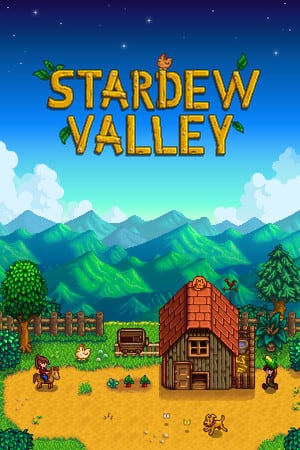
Stardew Valley is ConcernedApe's hand-crafted farming and life sim: grow crops, raise animals, mine, fish and build relationships across the seasons in Pelican Town. Its 2D pixel-art presentation is extremely light on hardware, so it holds triple-digit frame rates on integrated graphics, handhelds and years-old laptops alike. Because the visuals are fixed pixel art, the options screen is intentionally minimal — there are no quality sliders to tune, only display and comfort settings like window mode, zoom, UI scale and lighting quality. Up to four players (more with mods) can share a single farm in co-op.
Built for competitive players who want the highest frame rate and lowest input latency.
There are no quality sliders to strip — this profile just uncaps the frame rate. Honestly, on this pixel-art engine the visuals look identical to the other profiles; the only real lever is V-Sync.
| Setting | Value | Why |
|---|---|---|
| Window Mode | Fullscreen | Exclusive fullscreen gives the lowest input latency. |
| Resolution | Native | — |
| V-Sync | Off | The one true performance toggle — uncaps FPS beyond your refresh rate. |
| Zoom Level | 100% | — |
| UI Scale | 100% | — |
| Lighting Quality | Low | The only visual-quality option; the difference is barely visible. |
| Show Menu Background | Off | — |
| Show Portraits | On | Comfort setting only — no effect on frame rate. |
Maximum visual fidelity for players who prefer the best-looking image.
Lighting maxed and V-Sync on. To be clear: on fixed pixel art the visual gap between this and the other profiles is marginal — the frame-rate cost of maxing it is trivial too.
| Setting | Value | Why |
|---|---|---|
| Window Mode | Fullscreen | — |
| Resolution | Native | — |
| V-Sync | On | — |
| Zoom Level | 110% | A personal-comfort setting, not a quality control. |
| UI Scale | 100% | — |
| Lighting Quality | Very High (Max) | The only visual option to raise; the difference is subtle. |
| Show Menu Background | On | — |
| Show Portraits | On | — |
The sweet spot between frame rate and visuals. Drag the slider to shift the balance.
V-Sync on for a smooth, tear-free picture — the sensible default for almost every PC. The game is so light that this costs you nothing you would notice.
| Setting | Value | Why |
|---|---|---|
| Window Mode | Borderless Windowed | Instant alt-tab for checking a wiki or Discord. |
| Resolution | Native | — |
| V-Sync | On | Caps to your refresh rate — smooth and tear-free. |
| Zoom Level | 100% | — |
| UI Scale | 100% | — |
| Lighting Quality | High | — |
| Show Menu Background | On | — |
| Show Portraits | On | — |
| Metric | CompetitiveMax FPS / Smooth | BalancedBalanced (Default) | High GraphicsBest Looking |
|---|---|---|---|
| Input Latency | Lowest | Lowest | Low |
| Graphics Quality | |||
| GPU Usage | Low | Low | Low |
| Competitive Score | 96/100 | 88/100 | 84/100 |
| Recommended For | Uncapped-FPS setups and anyone who just wants the highest number possible. | The default for virtually every PC — smooth, tear-free and comfortable. | Large monitors and streaming where you want the crispest, best-lit presentation. |
Official minimum and recommended specs for Stardew Valley.
| Component | Minimum |
|---|---|
| OS | Windows Vista or greater |
| Processor | 2 Ghz |
| Memory | 2 GB RAM |
| Graphics | 256 mb video memory, shader model 3.0+ |
| DirectX | Version 10 |
| Storage | 500 MB available space |
The publisher lists no recommended specs.
Minimum
OS *: Windows Vista or greater Processor: 2 Ghz Memory: 2 GB RAM Graphics: 256 mb video memory, shader model 3.0+ DirectX: Version 10 Storage: 500 MB available space
Source: Steam
Pick your hardware and preset to estimate your frame rate — results update instantly.
Frame generation is never counted: every figure is rendered frames only.
Your Estimated Stardew Valley Performance
High (assumed from the recommended spec) · native · 1080p
Game's frame cap. Stardew Valley is capped at 60 FPS by its engine, whatever the graphics card. Source
FPS values displayed on GamerSpecs are estimates. Actual game performance may vary depending on hardware configuration, drivers, cooling, power limits, background applications, and game updates.
How is this calculated?Safe, technically-sound tips to get the most out of Stardew Valley.
Stardew Valley's visuals are fixed pixel art, so there are no quality sliders to tune — the only real performance lever is V-Sync (off to uncap frames, on to stay smooth and tear-free).
On a handheld or laptop, leave V-Sync on or cap the frame rate: this game will happily render hundreds of FPS and drain your battery for frames you can't see.
Use Borderless Windowed if you alt-tab often to check a wiki or Discord; it switches focus instantly with no measurable performance cost here.
Adjust Zoom Level and UI Scale for comfort and readability rather than performance — neither meaningfully changes frame rate on this engine.
Lighting Quality is the single visual option; drop it to Low only on very old integrated graphics — on anything modern the difference isn't worth losing.
Late-game farms packed with machines, sprinklers and animals lean on the CPU more than the GPU, so a modern processor keeps big farms smooth; closing background apps helps more than any graphics tweak.