
Rust
A brutal multiplayer survival sandbox — gather, build and raid on huge persistent servers that lean hard on RAM, VRAM and CPU.
- Developer
- Facepunch Studios
- Publisher
- Facepunch Studios
- Released
- 2018
- Genre
- Survival, Multiplayer


A brutal multiplayer survival sandbox — gather, build and raid on huge persistent servers that lean hard on RAM, VRAM and CPU.
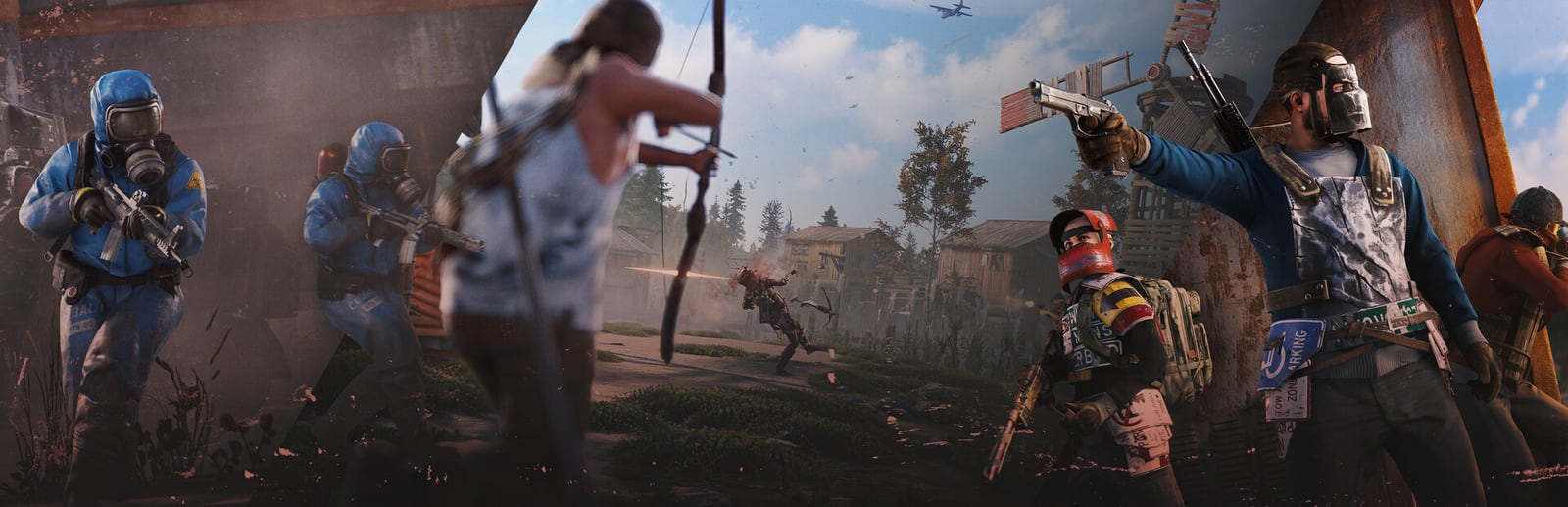
Rust drops you naked on a shared island with nothing but a rock and a torch, and everything from there is earned or taken. Gathering, crafting, base-building and raiding play out on large persistent maps that can hold hundreds of players, and that scale is exactly why the game is so demanding. Its Unity engine streams a sprawling open world with dense foliage and reflective water, so it is genuinely hungry for both VRAM and system RAM, while populated servers push heavy load onto the CPU as they simulate players, entities and structures around you. Getting a smooth experience is less about a single preset and more about tuning the handful of settings that actually move the needle — Texture, Object and Shadow quality first.
Built for competitive players who want the highest frame rate and lowest input latency.
Strips the expensive world-rendering settings for the highest, steadiest frame rate on populated servers. Keep Draw Distance sane so you can still spot distant threats.
| Setting | Value | Why |
|---|---|---|
| Display Mode | Exclusive Fullscreen | Lowest latency, dedicated GPU access. |
| Resolution | Native Resolution | — |
| Graphics Quality | 1 | Master slider — low keeps VRAM and GPU load down. |
| Texture Quality | Low | Biggest VRAM saver — drop this first on 4 GB cards. |
| Object Quality | Low | Fewer mesh details; large FPS win in built-up areas. |
| Shadow Quality | Low | Shadows are costly on busy servers — keep low. |
| Shadow Cascades | No Cascades | — |
| Draw Distance | Medium (~1500) | Don't go too low — it also hides far-off enemies. |
| Shadow Distance | Low | — |
| Water Quality | 0 | — |
| Water Reflections | OFF | Reflections are heavy; disable for a clean gain. |
| Anti-Aliasing | FXAA | — |
| Anisotropic Filtering | Off | — |
| V-Sync | OFF | Uncaps frame rate and cuts input latency. |
Maximum visual fidelity for players who prefer the best-looking image.
Maximum world detail for screenshots and building showcases. Expensive on both VRAM and RAM — 16 GB of system memory is strongly recommended here.
| Setting | Value | Why |
|---|---|---|
| Display Mode | Exclusive Fullscreen | — |
| Resolution | Native Resolution | — |
| Graphics Quality | 6 | — |
| Texture Quality | High | Expects 6 GB+ VRAM to avoid streaming stutter. |
| Object Quality | High | — |
| Shadow Quality | High | — |
| Shadow Cascades | Four Cascades | — |
| Draw Distance | Max (~2500) | — |
| Shadow Distance | High | — |
| Water Quality | 3 | — |
| Water Reflections | ON | — |
| World Reflections | ON | Real-time reflections — heaviest single GPU cost. |
| Anti-Aliasing | TSSAA | — |
| Anisotropic Filtering | 16x | — |
The sweet spot between frame rate and visuals. Drag the slider to shift the balance.
Keeps the island looking convincing — decent draw distance and shadows — while holding most of the frame-rate advantage. A sensible everyday default.
| Setting | Value | Why |
|---|---|---|
| Display Mode | Exclusive Fullscreen | — |
| Resolution | Native Resolution | — |
| Graphics Quality | 3 | — |
| Texture Quality | Medium | Needs ~4-6 GB VRAM; step to Low if you see hitching. |
| Object Quality | Medium | — |
| Shadow Quality | Medium | — |
| Shadow Cascades | Two Cascades | — |
| Draw Distance | High (~2000) | — |
| Shadow Distance | Medium | — |
| Water Quality | 1 | — |
| Water Reflections | OFF | — |
| Anti-Aliasing | TSSAA | — |
| Anisotropic Filtering | 4x | — |
| V-Sync | OFF | — |
| Metric | CompetitiveMax FPS / Performance | BalancedBalanced | High GraphicsBest Graphics |
|---|---|---|---|
| Input Latency | Lowest | Low | Standard |
| Graphics Quality | |||
| GPU Usage | Medium | High | Very High |
| Competitive Score | 90/100 | 74/100 | 52/100 |
| Recommended For | PvP-focused players and 4-6 GB GPUs grinding populated wipe servers. | 6-8 GB GPUs with 16 GB RAM wanting a clean look and smooth play. | 8 GB+ GPUs with 16 GB+ RAM, base showcases and content capture. |
Official minimum and recommended specs for Rust.
| Component | Minimum | Recommended |
|---|---|---|
| OS | Windows 11 64bit | Windows 11 64bit |
| Processor | AMD Ryzen 5 1400 or Intel Core i5-6600 | AMD Ryzen 7 3700X or Intel® Core i7-6700K |
| Memory | 12 GB RAM | 16 GB RAM |
| Graphics | AMD Radeon RX 470, NVIDIA GeForce GTX 1060, Intel® Arc™ A580 | AMD Radeon RX 6600XT, NVIDIA GeForce RTX 3060, Intel Arc B580 |
| DirectX | Version 11 | Version 12 |
| Storage | 45 GB available space | 45 GB available space |
Minimum
Requires a 64-bit processor and operating system OS: Windows 11 64bit Processor: AMD Ryzen 5 1400 or Intel Core i5-6600 Memory: 12 GB RAM Graphics: AMD Radeon RX 470, NVIDIA GeForce GTX 1060, Intel® Arc™ A580 DirectX: Version 11 Network: Broadband Internet connection Storage: 45 GB available space Additional Notes: SSD is highly recommended or expect longer than average load times.
Recommended
Requires a 64-bit processor and operating system OS: Windows 11 64bit Processor: AMD Ryzen 7 3700X or Intel® Core i7-6700K Memory: 16 GB RAM Graphics: AMD Radeon RX 6600XT, NVIDIA GeForce RTX 3060, Intel Arc B580 DirectX: Version 12 Network: Broadband Internet connection Storage: 45 GB available space Additional Notes: SSD Required
Source: Steam
Pick your hardware and preset to estimate your frame rate — results update instantly.
Frame generation is never counted: every figure is rendered frames only.
Your Estimated Rust Performance
High (assumed from the recommended spec) · native · 1080p
65
Low end
71
Estimate
80
High end
FPS values displayed on GamerSpecs are estimates. Actual game performance may vary depending on hardware configuration, drivers, cooling, power limits, background applications, and game updates.
How is this calculated?Safe, technically-sound tips to get the most out of Rust.
Run 16 GB of RAM or more — Rust routinely commits 10-12 GB, and once Windows starts swapping to disk you get severe stutter on busy servers.
Tune Texture, Object and Shadow quality first; they move frame rate and VRAM usage far more than the smaller toggles.
Keep the game on an SSD — Rust streams a huge world constantly and a hard drive causes long load-ins and mid-round hitching.
Enable the built-in FSR upscaling at 1440p or 4K to recover frames without dropping your core quality settings.
Don't set Draw Distance too low to chase FPS; on populated servers it hides distant players and hurts you more than it helps.
Close browser tabs, launchers and overlays before joining a full wipe server — populated Rust is CPU-bound and background apps steal the cycles it needs.