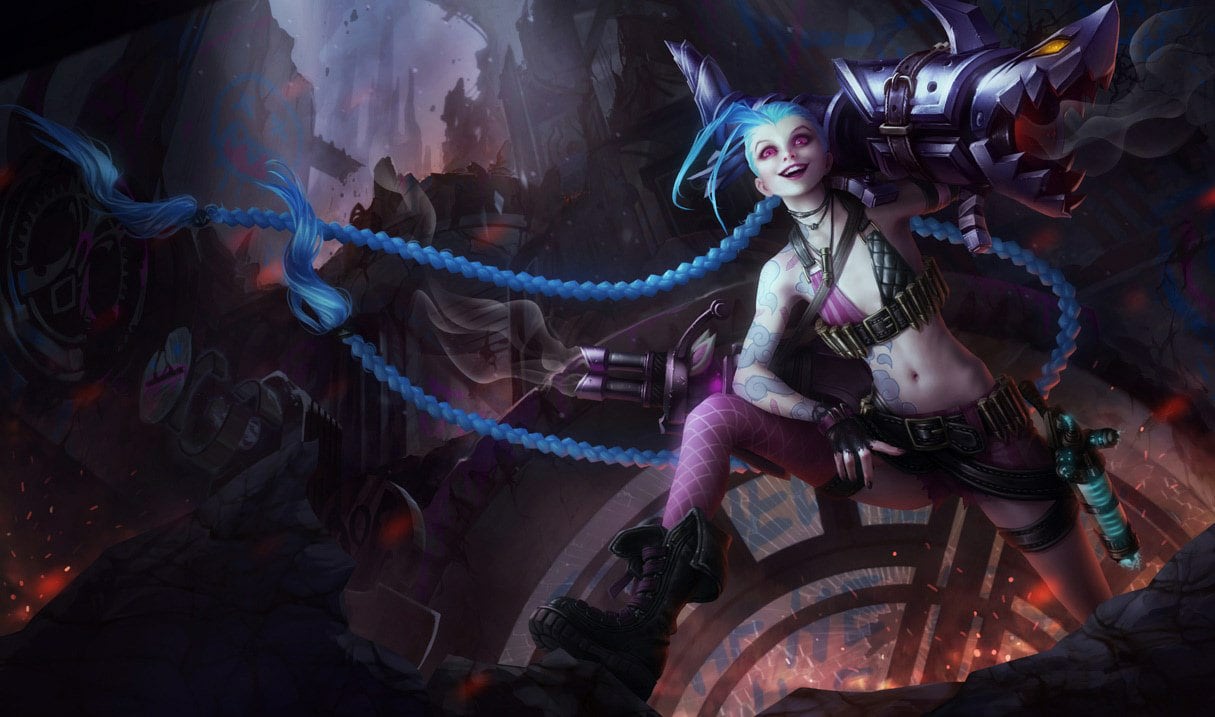


League of Legends
The definitive 5v5 MOBA — a free-to-play strategy game with 160+ champions that runs smoothly on almost any PC.
- Developer
- Riot Games
- Publisher
- Riot Games
- Released
- 2009
- Genre
- MOBA, Strategy


The definitive 5v5 MOBA — a free-to-play strategy game with 160+ champions that runs smoothly on almost any PC.
League of Legends is Riot Games' flagship multiplayer online battle arena, where two teams of five champions fight to destroy the enemy Nexus on Summoner's Rift. Depth comes from champion mastery, wave management, objective control, and split-second teamfight execution rather than raw graphical spectacle. Its lightweight custom engine is built to run at very high frame rates on modest and integrated hardware, so the game stays fluid on office laptops and old desktops alike — an important edge for a title where consistent frame pacing translates directly into cleaner last-hits and dodges.
Built for competitive players who want the highest frame rate and lowest input latency.
Strips shadows and particle clutter for the highest, most stable frame rate and the clearest read on teamfights. This is how high-elo and pro players configure the client.
| Setting | Value | Why |
|---|---|---|
| Window Mode | Fullscreen | Lowest input latency; exclusive GPU access. |
| Resolution | Native Resolution | — |
| Frame Rate Cap | Uncapped | Maximizes FPS and minimizes latency on high-refresh monitors. |
| Wait for Vertical Sync | OFF | Removes added input latency; allows uncapped frames. |
| Anti-Aliasing | OFF | — |
| Character Quality | Very Low | — |
| Environment Quality | Very Low | — |
| Shadows | No Shadow | Large FPS win and removes ground clutter under champions. |
| Effects Quality | Very Low | Fewer spell particles means clearer, more readable fights. |
| Overall Quality | Very Low | — |
| Enable HUD Animations | OFF | — |
| Movement Prediction | ON | Smooths remote champion motion between server updates. |
Maximum visual fidelity for players who prefer the best-looking image.
Maximum visual fidelity with full particle and shadow detail. League is light enough that most modern GPUs still hold very high frame rates here.
| Setting | Value | Why |
|---|---|---|
| Window Mode | Borderless | — |
| Resolution | Native Resolution | — |
| Frame Rate Cap | Uncapped | The engine is light enough to stay high even fully maxed. |
| Wait for Vertical Sync | ON | Removes screen tearing for clean recording and streaming. |
| Anti-Aliasing | ON | Smooths champion and terrain edges. |
| Character Quality | Very High | — |
| Environment Quality | Very High | — |
| Shadows | High | Softest, most realistic shadow rendering. |
| Effects Quality | Very High | Full spell and ability particle detail. |
| Overall Quality | Very High | — |
| Enable HUD Animations | ON | — |
| Movement Prediction | ON | — |
The sweet spot between frame rate and visuals. Drag the slider to shift the balance.
Keeps Summoner's Rift looking crisp while holding on to most of the competitive frame-rate headroom. A great everyday default for high-refresh play.
| Setting | Value | Why |
|---|---|---|
| Window Mode | Borderless | Fast alt-tab to voice chat or a build guide. |
| Resolution | Native Resolution | — |
| Frame Rate Cap | 144 FPS | Matches common high-refresh panels for smooth, even frame times. |
| Wait for Vertical Sync | OFF | — |
| Anti-Aliasing | OFF | — |
| Character Quality | Medium | — |
| Environment Quality | Medium | — |
| Shadows | Low | Adds depth cues cheaply without hurting readability. |
| Effects Quality | Medium | — |
| Overall Quality | Medium | — |
| Enable HUD Animations | ON | — |
| Movement Prediction | ON | — |
| Metric | CompetitiveMax FPS / Competitive | BalancedBalanced | High GraphicsBest Graphics |
|---|---|---|---|
| Input Latency | Lowest | Low | Standard |
| Graphics Quality | |||
| GPU Usage | Low | Low | Medium |
| Competitive Score | 97/100 | 80/100 | 60/100 |
| Recommended For | Ranked, esports, and high-refresh 144Hz+ monitors. | Players who want a clean, colorful look without giving up smoothness. | Casual play, screenshots, and content capture where visuals matter most. |
Official minimum and recommended specs for League of Legends.
| Component | Minimum | Recommended |
|---|---|---|
| Target | Low graphics setting, 1024x768 | High graphics setting, 1920x1080 |
| OS | Windows 10 (Build 19041+) or Windows 11, x64, retail versions only (TPM 2.0 must be enabled) | Windows 11, x64 (TPM 2.0 must be enabled) |
| Processor | Intel Core i3-530 or AMD A6-3650 | Intel Core i5-8250 or AMD Ryzen 3 1200 |
| Memory | 2 GB RAM | 4 GB RAM |
| Graphics | GeForce 400 Series, AMD HD 6570 or Intel HD 4600 (DX11-level hardware, 1 GB VRAM) | NVidia GeForce 560, AMD Radeon HD 6950 or Intel UHD 630 (DX11-level hardware, 2 GB VRAM) |
| Storage | 16 GB HDD | 16 GB SSD |
Minimum
Target: Low graphics setting, 1024x768 OS: Windows 10 (Build 19041+) or Windows 11, x64, retail versions only (TPM 2.0 must be enabled) Processor: Intel Core i3-530 or AMD A6-3650 Memory: 2 GB RAM Graphics: GeForce 400 Series, AMD HD 6570 or Intel HD 4600 (DX11-level hardware, 1 GB VRAM) Storage: 16 GB HDD
Recommended
Target: High graphics setting, 1920x1080 OS: Windows 11, x64 (TPM 2.0 must be enabled) Processor: Intel Core i5-8250 or AMD Ryzen 3 1200 Memory: 4 GB RAM Graphics: NVidia GeForce 560, AMD Radeon HD 6950 or Intel UHD 630 (DX11-level hardware, 2 GB VRAM) Storage: 16 GB SSD
Source: Riot Games
Pick your hardware and preset to estimate your frame rate — results update instantly.
Frame generation is never counted: every figure is rendered frames only.
Your Estimated League of Legends Performance
High (publisher's target) · native · 1080p
Game's frame cap. League of Legends ships capped at 240 FPS; a supported in-game or config setting lifts the cap. Source
FPS values displayed on GamerSpecs are estimates. Actual game performance may vary depending on hardware configuration, drivers, cooling, power limits, background applications, and game updates.
How is this calculated?Safe, technically-sound tips to get the most out of League of Legends.
Cap your frame rate a few frames below your monitor's refresh rate to keep frame times consistent and input latency low.
Set Shadows to 'No Shadow' — it is one of the biggest performance wins and actually declutters the area beneath champions.
Lower Effects Quality to reduce spell-particle load during 5v5 teamfights, which is exactly when frame drops matter most.
On a laptop, use the 60 FPS cap on battery to cut heat and power draw, then switch to 144/Uncapped when plugged in.
Keep GPU drivers current, but if a new driver hurts performance, roll back — newer is not always faster for a specific title.
Close browser tabs, overlays, and streaming apps before ranked; they steal CPU cycles the client relies on for steady frame pacing.