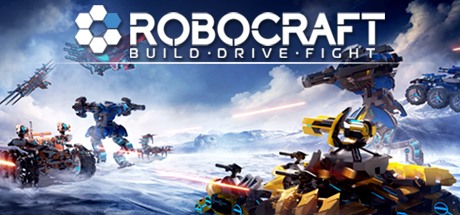
Can I Run Robocraft?
Freejam · 2017
Servers closed in January 2025 — this game can no longer be played.
Servers closed in January 2025 — this game can no longer be played
“Robocraft 1 and Cardlife are currently being delisted from the Steam store and the servers for both of these games will be shutting down over the course of this week.”
Source: Freejam, “Freejam Studio Closure” on Steam, January 20, 2025. We no longer estimate frame rates for it; the system requirements below are kept for the record.
Robocraft System Requirements
The official minimum and recommended PC specs for Robocraft, component by component.
| Component | Minimum |
|---|---|
| OS | Vista/7/8/8.1/10 |
| Processor | Intel Dual Core or better with SSE2 support or equivalent AMD family |
| Memory | 4 GB RAM |
| Graphics | Shader Model 3.0 Compatible GPU, DirectX 9.0c |
| DirectX | Version 10 |
| Storage | 2 GB available space |
The publisher lists no recommended specs.
Show the full Steam listingHide the full Steam listing
Minimum
OS: Vista/7/8/8.1/10 Processor: Intel Dual Core or better with SSE2 support or equivalent AMD family Memory: 4 GB RAM Graphics: Shader Model 3.0 Compatible GPU, DirectX 9.0c DirectX: Version 10 Network: Broadband Internet connection Storage: 2 GB available space Sound Card: DirectX compatible Additional Notes: Min Resolution 1024x768
Source: Steam
Robocraft — FAQ
Can I run Robocraft?+
No. Servers closed in January 2025 — this game can no longer be played. Source: Freejam, “Freejam Studio Closure” on Steam, January 20, 2025.
What are the minimum system requirements for Robocraft?+
Robocraft needs at least a Intel Dual Core or better with SSE2 support or equivalent AMD family processor, a Shader Model 3.0 Compatible GPU, DirectX 9.0c graphics card, 4 GB of RAM, 2 GB available space of storage, running Vista/7/8/8.1/10.
How much RAM does Robocraft need?+
Robocraft officially requires a minimum of 4 GB of RAM. 16GB is a comfortable amount for modern gaming overall.
More games to check






FPS values displayed on GamerSpecs are estimates. Actual game performance may vary depending on hardware configuration, drivers, cooling, power limits, background applications, and game updates.