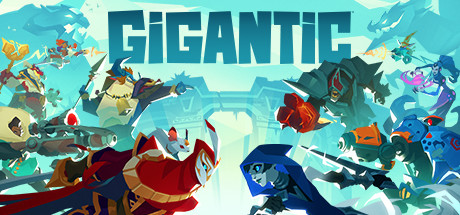

Can I Run Gigantic?
Motiga Inc. · 2017
Servers closed on July 31, 2018 — this game can no longer be played.
Servers closed on July 31, 2018 — this game can no longer be played
“It is with heavy hearts that we announce the January Update is the final content update for Gigantic, and the game servers will be discontinued on July 31, 2018.”
Source: Perfect World Entertainment, “Gigantic's Final Update” on Steam, January 31, 2018. We no longer estimate frame rates for it; the system requirements below are kept for the record.
Gigantic System Requirements
The official minimum and recommended PC specs for Gigantic, component by component.
| Component | Minimum |
|---|---|
| OS | Windows 7, Windows 8, Windows 8.1, Windows 10 (64-bit) |
| Processor | 2.6Ghz processor |
| Memory | 6 GB RAM |
| Graphics | GeForce GTX 580, DirectX 11.1-compatible video card (Nvidia or AMD only) |
| DirectX | Version 11 |
| Storage | 10 GB available space |
The publisher lists no recommended specs.
Show the full Steam listingHide the full Steam listing
Minimum
Requires a 64-bit processor and operating system OS *: Windows 7, Windows 8, Windows 8.1, Windows 10 (64-bit) Processor: 2.6Ghz processor Memory: 6 GB RAM Graphics: GeForce GTX 580, DirectX 11.1-compatible video card (Nvidia or AMD only) DirectX: Version 11 Network: Broadband Internet connection Storage: 10 GB available space Additional Notes: 6 GB RAM requirement refers to usable memory only
Recommended
Requires a 64-bit processor and operating system
Source: Steam
Gigantic — FAQ
Can I run Gigantic?+
No. Servers closed on July 31, 2018 — this game can no longer be played. Source: Perfect World Entertainment, “Gigantic's Final Update” on Steam, January 31, 2018.
What are the minimum system requirements for Gigantic?+
Gigantic needs at least a 2.6Ghz processor processor, a GeForce GTX 580, DirectX 11.1-compatible video card (Nvidia or AMD only) graphics card, 6 GB of RAM, 10 GB available space of storage, running Windows 7, Windows 8, Windows 8.1, Windows 10 (64-bit).
How much RAM does Gigantic need?+
Gigantic officially requires a minimum of 6 GB of RAM. 16GB is a comfortable amount for modern gaming overall.
More games to check




FPS values displayed on GamerSpecs are estimates. Actual game performance may vary depending on hardware configuration, drivers, cooling, power limits, background applications, and game updates.